Wireframing involves the creation of a blueprint or schematic that helps designers and programmers think about the structure of an app or website. Wireframing, therefore, is the process of creating a two-dimensional outline of an app or website.
Aspect
Explanation
Concept Overview
Wireframing is a crucial step in the early stages of user interface (UI) and user experience (UX) design. It involves creating simplified, low-fidelity visual representations of a digital product or application’s layout and structure. Wireframes serve as a blueprint for designers and developers, outlining the placement of elements, navigation, and overall design hierarchy. They prioritize functionality and layout over aesthetics, allowing teams to focus on usability and functionality before delving into visual design aspects.
Key Principles
Wireframing is guided by several key principles: 1. Simplification: Wireframes use basic shapes, lines, and placeholders to represent UI elements, avoiding unnecessary detail. 2. Functionality Focus: They prioritize demonstrating how the product will function rather than its visual appearance. 3. User-Centered Design: Wireframes help designers and stakeholders visualize the user’s journey through the product. 4. Iterative Process: Wireframes are often created, revised, and refined multiple times during the design process. 5. Clarity and Consistency: They aim for clarity in conveying layout and content organization. 6. Collaboration Tool: Wireframes facilitate collaboration among design, development, and stakeholder teams. 7. Early Validation: They allow for early testing and validation of user flows and interactions.
Components
Wireframes typically include the following components: 1. Layout and Structure: Representing the arrangement of elements on each screen or page. 2. Content Placement: Showing where text, images, buttons, and other content will appear. 3. Navigation Flow: Outlining how users will move between screens or pages. 4. Interaction Points: Identifying areas for user input, such as forms or clickable elements. 5. Annotations: Descriptive notes or labels to clarify design decisions. 6. Low-Fidelity Graphics: Basic shapes or icons to represent images or icons in the final design.
Tools and Methods
Designers use various tools and methods for wireframing: 1. Paper Sketches: Quick, hand-drawn sketches on paper to explore ideas. 2. Digital Wireframing Tools: Software applications like Sketch, Adobe XD, or Balsamiq for creating digital wireframes. 3. Prototyping: Some wireframing tools also enable basic interaction prototyping. 4. User Testing: Wireframes can be used in usability testing to gather early user feedback.
Benefits and Impact
Wireframing offers several benefits and impacts: 1. Clarity of Vision: It helps align stakeholders and designers on the project’s layout and functionality. 2. Early Problem Identification: Issues with navigation, content organization, or user flows can be spotted and addressed early in the design process. 3. Cost and Time Savings: Rectifying problems in wireframes is less costly and time-consuming than fixing them in the final design. 4. Improved User Experience: Wireframes prioritize user-centered design, resulting in a more intuitive and user-friendly product. 5. Collaboration: Facilitates collaboration among multidisciplinary teams, including designers, developers, and stakeholders.
Challenges and Risks
Challenges in wireframing may include striking the right balance between simplicity and detail, the need for iterations, and potential misunderstandings due to the lack of visual design elements. Risks can involve stakeholders mistaking wireframes for final designs and overlooking the primary focus on functionality and layout.
These outlines are called wireframes and provide an overview of user flow, information architecture, functionality, and page structure or layout. Since many wireframes represent an initial concept, other elements such as color, graphics, and styling feature less prominently.
Wireframes can be created digitally or simply drawn by hand. They are used to foster stakeholder consensus before the interface is sent to the developers to be built out.
Five reasons to incorporate wireframing
Wireframing is an important part of the design process and should not be overlooked or rushed. Consider these seven reasons for incorporating the approach:
Visual architecture representation
Wireframing is often the first point at which the project is represented visually. They also improve on the somewhat abstract nature of a flowchart with something more tangible.
Feature clarification
Wireframing also communicates concepts or ideas that some stakeholders may not understand in a theoretical sense. In other words, the process stipulates how certain features will function, where they will reside, and their utility.
Scalability potential
A wireframe can also be implemented to ensure a website can cope with content growth. For example, a company that plans to increase its product offering from 50 to 200 will want a website that can accommodate this increase without impacting usability or site architecture.
Time and cost-saving
The process of wireframing saves time since the development team has a better grasp on what it is building. There is also increased clarity around content creation. Wireframes themselves are quick and inexpensive to produce, allowing the company to identify user pain points for relatively little expenditure.
Iteration
Some businesses make the mistake of trying to combine the functionality and layout of their website with more creative or brand-related aspects in one step. However, wireframing is an iterative process where aspects are considered one at a time. This allows the client to provide feedback earlier and avoid costly fixes later.
Three different types of wireframes
There are three main types of wireframes.
Low-fidelity
These serve as the starting point of a design and as a result, feature simple visual representations that are created without a scale or sense of pixel accuracy. They tend to be primitive and exclude details that could serve as a distraction.
Low-fidelity wireframes can be used in situations where there are multiple product concepts and the designer needs to know which one to pursue.
Mid-fidelity
Mid-fidelity wireframes depict a more accurate representation of an app or website and are one of the most commonly used.
They feature components with more detail that allow them to be differentiated from one another, but they still omit potentially distracting elements. For example, various shades of black and white may be utilized to provide visual prominence between specific elements.
These wireframes tend to be created using a digital tool such as Balsamiq or Sketch.
High-fidelity
High-fidelity wireframes incorporate detailed, pixel-specific layouts, written content, and imagery. This makes them well suited to more complex projects such as interactive maps or menu systems.
As a result, high-fidelity wireframes are used in the final stages of the product design lifecycle.
When and How to Use Wireframing:
Wireframing can be used in various design scenarios:
Initial Conceptualization: Start by creating wireframes to visualize the basic structure and layout of a digital product during the initial design phase.
User Testing: Use wireframes for user testing to gather feedback on usability and functionality before investing in full development.
Communication: Wireframes serve as a means of communication between designers, developers, project managers, and clients to align on design expectations.
Responsive Design: Create wireframes to plan how a design will adapt to different screen sizes and devices.
Iterative Design: Continuously update and refine wireframes throughout the design process to reflect changes and improvements.
To create effective wireframes:
Define Goals: Clearly understand the objectives and user needs that the wireframe aims to address.
Start Simple: Begin with low-fidelity wireframes, focusing on layout and functionality, before progressing to higher-fidelity prototypes.
User Flow: Consider the user’s journey through the interface and ensure a logical flow.
Usability: Prioritize usability and user-centered design principles when structuring the wireframe.
Feedback: Collect feedback from team members and users to refine the wireframe and iterate.
Benefits of Wireframing:
Wireframing offers several benefits:
Clarity: It provides a clear visual representation of the interface’s structure and functionality.
Early Validation: Wireframes allow for early validation of design concepts, potentially saving time and resources.
Alignment: They help align stakeholders’ expectations and reduce misunderstandings.
Efficiency: Wireframes streamline the design process and make it easier to spot and address potential issues.
Cost Reduction: Early identification and resolution of design flaws can lead to cost savings during development.
Potential Drawbacks of Wireframing:
While wireframing is a valuable tool, it has some potential drawbacks:
Limited Detail: Low-fidelity wireframes lack visual detail, making it challenging to convey the final visual aesthetics.
Subjectivity: Interpretation of wireframes can vary among stakeholders, potentially leading to miscommunication.
Time-Consuming: Creating detailed wireframes can be time-consuming, especially for complex projects.
Case Studies
Wireframing Implementation Case Studies:
Website Redesign for E-commerce:
Scenario: An e-commerce company decides to revamp its website for improved user experience. Designers create wireframes that outline the new homepage, product pages, and checkout process.
Implications: Wireframing helps the team identify layout improvements, optimize navigation, and prioritize content placement, resulting in a more user-friendly and conversion-oriented website.
Mobile App Development:
Scenario: A mobile app startup uses wireframes to plan the user interface and functionality of their new app. They create wireframes for each screen, detailing the flow and interaction design.
Implications: Wireframing streamlines development by providing a clear visual guide, reducing misunderstandings among developers, and ensuring that the final product aligns with the intended design.
Digital Product Prototyping:
Scenario: A software development company is working on a complex digital product. Wireframes are used to create a clickable prototype, enabling stakeholders to interact with and validate the product’s design and functionality.
Implications: The interactive wireframe prototype facilitates early feedback, reduces development iterations, and accelerates the product’s time to market.
Wireframing-Inspired Applications Beyond Digital Design:
Architectural Planning:
Scenario: An architecture firm employs wireframing principles in the initial design stages of a building project. They create wireframes for floor plans, emphasizing spatial arrangements and functionality.
Implications: Wireframing in architecture helps architects visualize and adjust building layouts efficiently, optimizing space utilization and ensuring that designs meet client requirements.
Event Planning and Layout Design:
Scenario: An event planning company uses wireframes to plan the layout of an upcoming conference. They create wireframes of the venue, arranging seating, stages, booths, and signage.
Implications: Wireframing event layouts aids in effective space utilization, clear communication with vendors, and ensuring that the event flows smoothly.
Product Packaging Design:
Scenario: A consumer goods company uses wireframes to plan product packaging designs. They create wireframes illustrating label placement, graphics, and branding elements.
Implications: Wireframing product packaging helps in visualizing and refining design concepts, ensuring that the final packaging aligns with branding and marketing goals.
Key takeaways:
Wireframing is the process of creating a two-dimensional outline of an app or website.
Wireframing is an important part of the design process and should be rushed, overlooked, or combined with other processes. There are many reasons to incorporate the process, including visual architecture representation, time and cost savings, scalability potential, and feature clarification.
Wireframing incorporates three wireframe types: low-fidelity, mid-fidelity, and high-fidelity. Each is associated with a particular level of detail and stage in the product lifecycle.
Key Highlights
Wireframing Overview: Wireframing involves creating a blueprint or schematic that outlines the structure of an app or website. It provides a two-dimensional outline known as a wireframe, which highlights user flow, information architecture, functionality, and page layout. Wireframes focus on structure rather than visual design elements.
Purpose of Wireframing: Wireframes are used to facilitate stakeholder consensus before developers start building the actual interface. They help bridge the gap between abstract concepts and visual representation, making it easier for stakeholders to understand and provide feedback on the design.
Benefits of Wireframing:
Visual Architecture Representation: Wireframes offer the first visual representation of a project, making it more tangible than abstract flowcharts.
Feature Clarification: Wireframes communicate how features will function, their placement, and utility, which can be challenging to understand through theoretical explanations alone.
Scalability Potential: Wireframes ensure that the design can accommodate content growth without affecting usability or architecture.
Time and Cost Saving: Wireframing provides clarity to the development team, reducing the risk of costly mistakes. Quick and inexpensive to create, wireframes identify user issues early on.
Iteration: Wireframing is an iterative process that allows for feedback and adjustments, preventing costly fixes later in the design process.
Types of Wireframes:
Low-Fidelity: Simple visual representations created without scale or pixel accuracy. Used as a starting point for design exploration, especially when choosing between different concepts.
Mid-Fidelity: More accurate representation with differentiated components. Includes more detail than low-fidelity wireframes, but still omits distracting elements.
High-Fidelity: Detailed wireframes with pixel-specific layouts, written content, and imagery. Suited for complex projects like interactive maps or menus. Used in the final stages of design.
Importance of Proper Wireframing: Wireframing is a critical part of the design process that shouldn’t be rushed or combined with other steps. It offers multiple benefits and contributes to creating a successful and user-friendly final product.
Framework
Description
When to Apply
User Story Mapping
– User Story Mapping is a collaborative technique for visualizing and organizing user stories based on user journeys or workflows. – It helps teams understand the user’s perspective and prioritize features to deliver incremental value.
– When planning and prioritizing features for product development, understanding user needs and journeys, and organizing user stories to ensure alignment with user goals and business objectives.
Prototype Testing
– Prototype Testing involves creating interactive mockups or prototypes of user interfaces to gather feedback and validate design decisions early in the development process. – It helps identify usability issues, validate design assumptions, and iterate on designs based on user feedback.
– When validating design concepts, gathering feedback from stakeholders and end-users, and iterating on user interface designs to improve usability and user satisfaction.
Design Sprints
– Design Sprints are a structured, time-boxed process for solving design challenges and validating ideas through rapid prototyping and user testing. – They typically span 5 days and involve ideation, prototyping, and user testing to quickly validate concepts.
– When tackling complex design challenges, validating ideas or concepts quickly, and aligning cross-functional teams on design solutions through a structured and collaborative process.
Storyboarding
– Storyboarding is a visual storytelling technique used to illustrate user interactions, workflows, or scenarios in a sequential format. – It helps communicate design ideas, user journeys, and product features in a narrative format.
– When visualizing user interactions, illustrating user journeys, or communicating design concepts to stakeholders and team members in a clear and engaging manner.
Paper Prototyping
– Paper Prototyping involves creating low-fidelity paper sketches or mockups of user interfaces to explore design ideas and gather feedback quickly. – It allows for rapid iteration and refinement of design concepts before investing in digital prototypes.
– When exploring design ideas, iterating on user interface concepts quickly, and gathering feedback from stakeholders or end-users early in the design process to inform further development.
Usability Testing
– Usability Testing involves observing users as they interact with a wireframe or prototype to identify usability issues and gather feedback on design concepts. – It helps validate design decisions and improve the user experience before launching a product or feature.
– When evaluating the usability of wireframes or prototypes, identifying pain points in user interactions, and validating design assumptions through direct observation and feedback from end-users.
Responsive Design
– Responsive Design is an approach to web design that ensures websites and applications adapt to various screen sizes and devices. – It involves designing flexible layouts, images, and content to provide optimal viewing experiences across different devices.
– When designing wireframes for web or mobile applications, considering how designs will adapt to different screen sizes, resolutions, and device orientations to deliver a consistent user experience across platforms.
Information Architecture (IA)
– Information Architecture (IA) is the structural design of information environments, such as websites or applications, to support usability and findability. – It involves organizing and labeling content in a way that facilitates navigation and information retrieval.
– When structuring wireframes or prototypes for websites or applications, defining navigation flows, and organizing content to optimize user engagement and information access.
Interaction Design
– Interaction Design focuses on creating engaging and intuitive user experiences through the design of interactive elements and behaviors. – It involves designing gestures, animations, and feedback mechanisms to enhance user interactions and usability.
– When designing wireframes for interactive interfaces, defining user interactions and behaviors, and creating engaging and intuitive user experiences through thoughtful design of interactive elements.
Visual Design
– Visual Design is the aesthetic aspect of design that focuses on the look and feel of user interfaces, including typography, color schemes, and graphical elements. – It aims to create visually appealing and cohesive designs that communicate brand identity and evoke emotion.
– When refining wireframes or prototypes, applying visual elements such as typography, color, and imagery to enhance the aesthetic appeal and usability of user interfaces, and aligning designs with brand guidelines and user expectations.
Atomic Design
– Atomic Design is a methodology for creating design systems by breaking down interfaces into reusable components, such as atoms, molecules, and organisms. – It promotes consistency, scalability, and efficiency in design and development workflows.
– When designing wireframes or prototypes as part of a design system, defining reusable components and patterns, and creating consistent user interfaces across products or platforms by composing design elements at different levels of abstraction.
AIOps is the application of artificial intelligence to IT operations. It has become particularly useful for modern IT management in hybridized, distributed, and dynamic environments. AIOps has become a key operational component of modern digital-based organizations, built around software and algorithms.
Agile started as a lightweight development method compared to heavyweight software development, which is the core paradigm of the previous decades of software development. By 2001 the Manifesto for Agile Software Development was born as a set of principles that defined the new paradigm for software development as a continuous iteration. This would also influence the way of doing business.
Agile Program Management is a means of managing, planning, and coordinating interrelated work in such a way that value delivery is emphasized for all key stakeholders. Agile Program Management (AgilePgM) is a disciplined yet flexible agile approach to managing transformational change within an organization.
Agile project management (APM) is a strategy that breaks large projects into smaller, more manageable tasks. In the APM methodology, each project is completed in small sections – often referred to as iterations. Each iteration is completed according to its project life cycle, beginning with the initial design and progressing to testing and then quality assurance.
Agile Modeling (AM) is a methodology for modeling and documenting software-based systems. Agile Modeling is critical to the rapid and continuous delivery of software. It is a collection of values, principles, and practices that guide effective, lightweight software modeling.
Agile Business Analysis (AgileBA) is certification in the form of guidance and training for business analysts seeking to work in agile environments. To support this shift, AgileBA also helps the business analyst relate Agile projects to a wider organizational mission or strategy. To ensure that analysts have the necessary skills and expertise, AgileBA certification was developed.
Agile leadership is the embodiment of agile manifesto principles by a manager or management team. Agile leadership impacts two important levels of a business. The structural level defines the roles, responsibilities, and key performance indicators. The behavioral level describes the actions leaders exhibit to others based on agile principles.
Bimodal Portfolio Management (BimodalPfM) helps an organization manage both agile and traditional portfolios concurrently. Bimodal Portfolio Management – sometimes referred to as bimodal development – was coined by research and advisory company Gartner. The firm argued that many agile organizations still needed to run some aspects of their operations using traditional delivery models.
Business innovation is about creating new opportunities for an organization to reinvent its core offerings, revenue streams, and enhance the value proposition for existing or new customers, thus renewing its whole business model. Business innovation springs by understanding the structure of the market, thus adapting or anticipating those changes.
Business model innovation is about increasing the success of an organization with existing products and technologies by crafting a compelling value proposition able to propel a new business model to scale up customers and create a lasting competitive advantage. And it all starts by mastering the key customers.
A consumer brand company like Procter & Gamble (P&G) defines “Constructive Disruption” as: a willingness to change, adapt, and create new trends and technologies that will shape our industry for the future. According to P&G, it moves around four pillars: lean innovation, brand building, supply chain, and digitalization & data analytics.
That is a process that requires a continuous feedback loop to develop a valuable product and build a viable business model. Continuous innovation is a mindset where products and services are designed and delivered to tune them around the customers’ problem and not the technical solution of its founders.
A design sprint is a proven five-day process where critical business questions are answered through speedy design and prototyping, focusing on the end-user. A design sprint starts with a weekly challenge that should finish with a prototype, test at the end, and therefore a lesson learned to be iterated.
Tim Brown, Executive Chair of IDEO, defined design thinking as “a human-centered approach to innovation that draws from the designer’s toolkit to integrate the needs of people, the possibilities of technology, and the requirements for business success.” Therefore, desirability, feasibility, and viability are balanced to solve critical problems.
DevOps refers to a series of practices performed to perform automated software development processes. It is a conjugation of the term “development” and “operations” to emphasize how functions integrate across IT teams. DevOps strategies promote seamless building, testing, and deployment of products. It aims to bridge a gap between development and operations teams to streamline the development altogether.
Product discovery is a critical part of agile methodologies, as its aim is to ensure that products customers love are built. Product discovery involves learning through a raft of methods, including design thinking, lean start-up, and A/B testing to name a few. Dual Track Agile is an agile methodology containing two separate tracks: the “discovery” track and the “delivery” track.
Feature-Driven Development is a pragmatic software process that is client and architecture-centric. Feature-Driven Development (FDD) is an agile software development model that organizes workflow according to which features need to be developed next.
eXtreme Programming was developed in the late 1990s by Ken Beck, Ron Jeffries, and Ward Cunningham. During this time, the trio was working on the Chrysler Comprehensive Compensation System (C3) to help manage the company payroll system. eXtreme Programming (XP) is a software development methodology. It is designed to improve software quality and the ability of software to adapt to changing customer needs.
The ICE Scoring Model is an agile methodology that prioritizes features using data according to three components: impact, confidence, and ease of implementation. The ICE Scoring Model was initially created by author and growth expert Sean Ellis to help companies expand. Today, the model is broadly used to prioritize projects, features, initiatives, and rollouts. It is ideally suited for early-stage product development where there is a continuous flow of ideas and momentum must be maintained.
An innovation funnel is a tool or process ensuring only the best ideas are executed. In a metaphorical sense, the funnel screens innovative ideas for viability so that only the best products, processes, or business models are launched to the market. An innovation funnel provides a framework for the screening and testing of innovative ideas for viability.
According to how well defined is the problem and how well defined the domain, we have four main types of innovations: basic research (problem and domain or not well defined); breakthrough innovation (domain is not well defined, the problem is well defined); sustaining innovation (both problem and domain are well defined); and disruptive innovation (domain is well defined, the problem is not well defined).
The innovation loop is a methodology/framework derived from the Bell Labs, which produced innovation at scale throughout the 20th century. They learned how to leverage a hybrid innovation management model based on science, invention, engineering, and manufacturing at scale. By leveraging individual genius, creativity, and small/large groups.
The Agile methodology has been primarily thought of for software development (and other business disciplines have also adopted it). Lean thinking is a process improvement technique where teams prioritize the value streams to improve it continuously. Both methodologies look at the customer as the key driver to improvement and waste reduction. Both methodologies look at improvement as something continuous.
A startup company is a high-tech business that tries to build a scalable business model in tech-driven industries. A startup company usually follows a lean methodology, where continuous innovation, driven by built-in viral loops is the rule. Thus, driving growth and building network effects as a consequence of this strategy.
Kanban is a lean manufacturing framework first developed by Toyota in the late 1940s. The Kanban framework is a means of visualizing work as it moves through identifying potential bottlenecks. It does that through a process called just-in-time (JIT) manufacturing to optimize engineering processes, speed up manufacturing products, and improve the go-to-market strategy.
RAD was first introduced by author and consultant James Martin in 1991. Martin recognized and then took advantage of the endless malleability of software in designing development models. Rapid Application Development (RAD) is a methodology focusing on delivering rapidly through continuous feedback and frequent iterations.
Scaled Agile Lean Development (ScALeD) helps businesses discover a balanced approach to agile transition and scaling questions. The ScALed approach helps businesses successfully respond to change. Inspired by a combination of lean and agile values, ScALed is practitioner-based and can be completed through various agile frameworks and practices.
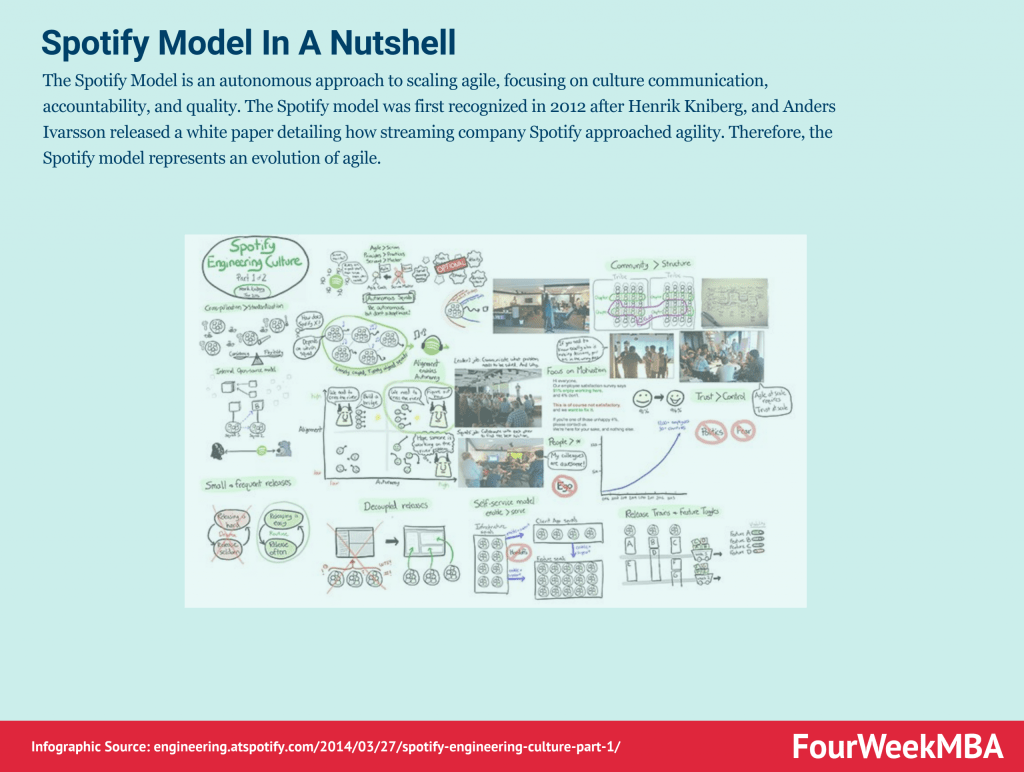
The Spotify Model is an autonomous approach to scaling agile, focusing on culture communication, accountability, and quality. The Spotify model was first recognized in 2012 after Henrik Kniberg, and Anders Ivarsson released a white paper detailing how streaming company Spotify approached agility. Therefore, the Spotify model represents an evolution of agile.
As the name suggests, TDD is a test-driven technique for delivering high-quality software rapidly and sustainably. It is an iterative approach based on the idea that a failing test should be written before any code for a feature or function is written. Test-Driven Development (TDD) is an approach to software development that relies on very short development cycles.
Timeboxing is a simple yet powerful time-management technique for improving productivity. Timeboxing describes the process of proactively scheduling a block of time to spend on a task in the future. It was first described by author James Martin in a book about agile software development.
Scrum is a methodology co-created by Ken Schwaber and Jeff Sutherland for effective team collaboration on complex products. Scrum was primarily thought for software development projects to deliver new software capability every 2-4 weeks. It is a sub-group of agile also used in project management to improve startups’ productivity.
Scrumban is a project management framework that is a hybrid of two popular agile methodologies: Scrum and Kanban. Scrumban is a popular approach to helping businesses focus on the right strategic tasks while simultaneously strengthening their processes.
Scrum anti-patterns describe any attractive, easy-to-implement solution that ultimately makes a problem worse. Therefore, these are the practice not to follow to prevent issues from emerging. Some classic examples of scrum anti-patterns comprise absent product owners, pre-assigned tickets (making individuals work in isolation), and discounting retrospectives (where review meetings are not useful to really make improvements).
Scrum at Scale (Scrum@Scale) is a framework that Scrum teams use to address complex problems and deliver high-value products. Scrum at Scale was created through a joint venture between the Scrum Alliance and Scrum Inc. The joint venture was overseen by Jeff Sutherland, a co-creator of Scrum and one of the principal authors of the Agile Manifesto.
Stretch objectives describe any task an agile team plans to complete without expressly committing to do so. Teams incorporate stretch objectives during a Sprint or Program Increment (PI) as part of Scaled Agile. They are used when the agile team is unsure of its capacity to attain an objective. Therefore, stretch objectives are instead outcomes that, while extremely desirable, are not the difference between the success or failure of each sprint.
The waterfall model was first described by Herbert D. Benington in 1956 during a presentation about the software used in radar imaging during the Cold War. Since there were no knowledge-based, creative software development strategies at the time, the waterfall method became standard practice. The waterfall model is a linear and sequential project management framework.
Gennaro is the creator of FourWeekMBA, which reached about four million business people, comprising C-level executives, investors, analysts, product managers, and aspiring digital entrepreneurs in 2022 alone | He is also Director of Sales for a high-tech scaleup in the AI Industry | In 2012, Gennaro earned an International MBA with emphasis on Corporate Finance and Business Strategy.