

Alternative platforms to Pinterest for discovering and organizing visual content comprise Instagram, Behance, Dribbble, Unsplash, and Pixabay as visual discovery platforms offering various types of creative content. For bookmarking and curated collections, options include Raindrop.io, Pocket, Wakelet, Pearltrees, and Mix (formerly StumbleUpon).
| Alternative | Key Features | Core Strengths | Weaknesses |
|---|---|---|---|
| 1. Visual Content: Allows sharing of images and videos. 2. Hashtags: Uses hashtags for content discovery. 3. Stories: Supports temporary visual stories. | – Large user base for content sharing and discovery. – Integration with Facebook. – Stories feature for temporary visual content. | – Not primarily designed for content curation. – Limited organization features compared to Pinterest. – Lack of dedicated boards for content categorization. | |
| 1. Content Aggregation: Aggregates news and articles. 2. Custom Magazines: Allows users to create custom magazines. 3. Personalization: Offers personalized content recommendations. | – Aggregates news and articles from various sources. – Users can create custom magazines on specific topics. – Personalized content recommendations. | – Focuses more on articles and news rather than visual content. – May have a steeper learning curve for some users. – Not as well-known for visual content curation as Pinterest. | |
| We Heart It | 1. Visual Bookmarking: Allows saving and organizing images. 2. Discover: Offers content discovery features. 3. Collections: Organizes saved images into collections. | – Focuses on visual bookmarking and image curation. – Discover feature for finding new content. – Collections for organizing saved images. | – Smaller user base compared to Pinterest. – Limited to image-based content, may not cover other types of content. – Less extensive sharing and social features. |
| Mix | 1. Content Discovery: Curates content based on user interests. 2. Collections: Allows users to create collections. 3. Chrome Extension: Offers a Chrome extension for easy saving. | – Content is curated based on user interests and preferences. – Users can create collections of curated content. – Chrome extension for effortless content saving. | – Smaller user base compared to Pinterest. – Limited social interaction features. – May not have the same level of content diversity as Pinterest. |
| Pearltrees | 1. Visual Organization: Organizes content visually with pearls. 2. Collaboration: Supports collaborative curation. 3. Discovery: Offers content discovery features. | – Unique visual organization using “pearls.” – Collaboration features for curating content with others. – Content discovery features to find new material. | – May have a learning curve for users unfamiliar with the pearl-based organization. – Smaller user base compared to more popular platforms. – The user interface may not be as intuitive for some users. |
| 1. Content Saving: Allows users to save articles and web content. 2. Offline Access: Provides offline access to saved content. 3. Tagging: Supports tagging for organization. | – Ideal for saving articles and web content for later reading. – Offline access to saved content. – Tagging for easy content organization. | – Focused on text-based content, may not cover visual content as extensively as Pinterest. – Lacks social features for content sharing and discovery. – Not designed for visual content curation and discovery. | |
| Raindrop.io | 1. Bookmarking: Allows users to bookmark web pages and content. 2. Collections: Organizes bookmarks into collections. 3. Tags: Supports tagging for bookmark organization. | – A versatile bookmarking tool for saving web content. – Organizes bookmarks into collections. – Tagging for efficient content organization. | – May not have the same focus on visual content curation as Pinterest. – Limited social features for content sharing and discovery. – User interface may not be as visually appealing as other platforms. |
| Moodboard | 1. Visual Moodboards: Allows users to create visual moodboards. 2. Collaboration: Supports collaborative moodboarding. 3. Image Search: Offers integrated image search. | – Specializes in creating visual moodboards. – Collaboration features for creating moodboards with others. – Integrated image search for convenience. | – Limited to creating visual moodboards, not a comprehensive content curation platform. – Smaller user base compared to more popular platforms. – Lacks the same diversity of content types as Pinterest. |
Visual Discovery Platforms:
- Instagram: A popular photo and video sharing platform for visual inspiration and discovery.
- Behance: An online platform for showcasing and discovering creative work across various disciplines.
- Dribbble: A community platform for designers to showcase and explore visual designs and projects.
- Unsplash: A platform for high-quality, royalty-free images for creative projects and inspiration.
- Pixabay: A platform offering free stock photos, illustrations, and vectors for various uses.
Bookmarking and Curated Collections:
- Raindrop.io: A bookmarking platform for saving and organizing web pages, articles, and images.
- Pocket: A content discovery and bookmarking platform for saving articles, videos, and web pages.
- Wakelet: A platform for curating and organizing collections of links, articles, and media.
- Pearltrees: A visual organization tool for collecting, curating, and sharing web content.
- Mix (formerly StumbleUpon): A platform for discovering and curating web content based on user interests.
Connected Business Models




Handpicked related business models:
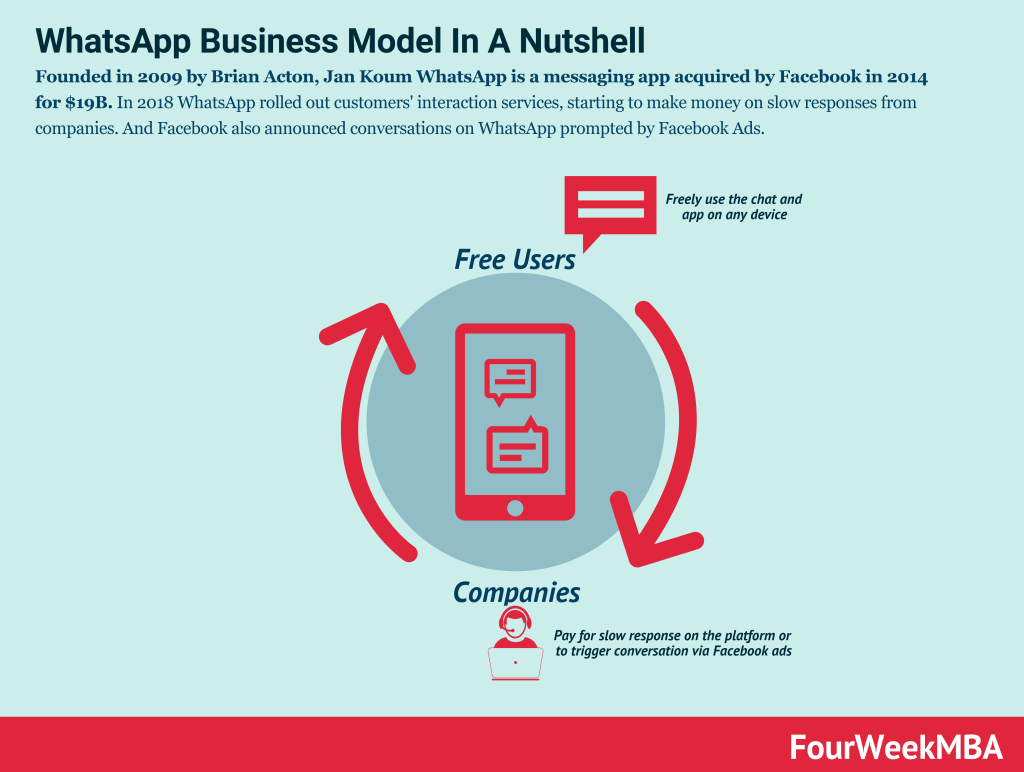
- How Does WhatsApp Make Money? WhatsApp Business Model Explained
- How Does Google Make Money? It’s Not Just Advertising!
- The Google of China: Baidu Business Model In A Nutshell
- How Does Twitter Make Money? Twitter Business Model In A Nutshell
- How Does DuckDuckGo Make Money? DuckDuckGo Business Model Explained
Other resources:
- Successful Types of Business Models You Need to Know
- Business Strategy: Definition, Examples, And Case Studies
- What Is a Business Model Canvas? Business Model Canvas Explained
- Blitzscaling Business Model Innovation Canvas In A Nutshell
- What Is a Value Proposition? Value Proposition Canvas Explained
- What Is a Lean Startup Canvas? Lean Startup Canvas Explained
- What Is Market Segmentation? the Ultimate Guide to Market Segmentation
- Marketing Strategy: Definition, Types, And Examples
Main Free Guides:
- Business Models
- Business Competition
- Business Strategy
- Business Development
- Digital Business Models
- Distribution Channels
- Marketing Strategy
- Organizational Structure
- Platform Business Models
- Revenue Models
- Tech Business Models


