Static code analysis plays a crucial role in Agile software development by enabling teams to identify and address potential issues in the source code early in the development…
Key Components
Kanban Method
A Lean framework for visualizing work, limiting work in progress, and maximizing efficiency using Kanban boards.
Agile Metrics
Metrics used in Agile methodologies to measure team performance, project progress, and the effectiveness of Agile practices.
Lean Management
A management philosophy focusing on continuous improvement, waste reduction, and value creation for customers.
Process Improvement
The systematic approach to improving processes, products, or services through the identification and elimination of inefficiencies and waste.
Project Management
The practice of initiating, planning, executing, controlling, and closing projects to achieve specific goals and meet success criteria.
Workflow Optimization
The process of analyzing and improving workflow efficiency to enhance productivity, reduce lead times, and increase throughput.
Key Insight
Static code analysis is a fundamental aspect of Agile software development, providing teams with valuable insights into code quality, security, and maintainability. By integrating static code analysis into the development process and leveraging…
Exec Package + Claude OS Master Skill | Business Engineer Founding Plan
FourWeekMBA x Business Engineer | Updated 2026
Static code analysis plays a crucial role in Agile software development by enabling teams to identify and address potential issues in the source code early in the development process.
Significance of Static Code Analysis in Agile
Static code analysis is essential in Agile methodologies for several key reasons:
Early Detection of Issues: Static code analysis allows teams to identify potential bugs, vulnerabilities, and code smells early in the development process, reducing the likelihood of defects reaching production.
Continuous Feedback: By integrating static code analysis into the development pipeline, teams receive continuous feedback on the quality of their code, enabling them to address issues promptly and iteratively.
Code Quality Assurance: Static code analysis helps maintain code quality by enforcing coding standards, best practices, and design patterns, resulting in cleaner, more maintainable codebases.
Risk Reduction: Identifying and addressing issues proactively through static code analysis reduces the risk of security breaches, performance issues, and technical debt in the long term.
Methodologies for Static Code Analysis
Implementing static code analysis effectively requires adherence to certain methodologies and best practices:
Automated Analysis: Integrate static code analysis tools into the continuous integration pipeline to automate the analysis process and ensure consistency across the codebase.
Rule Configuration: Customize static code analysis rules to align with project-specific requirements, coding standards, and industry best practices.
Thresholds and Policies: Define thresholds for acceptable code quality metrics and establish policies for handling violations, such as blocking code merges or triggering alerts.
Feedback and Reporting: Provide developers with timely feedback and actionable insights from static code analysis results, enabling them to address issues efficiently and proactively.
Tools for Static Code Analysis
A variety of tools are available for performing static code analysis in Agile environments, including:
Linters: Tools like ESLint for JavaScript, RuboCop for Ruby, and Checkstyle for Java provide basic syntax checking and enforce coding standards.
Static Analysis Tools: Tools such as SonarQube, CodeClimate, and Coverity offer more comprehensive analysis capabilities, including code quality, security vulnerabilities, and performance optimizations.
Security Scanners: Tools like OWASP ZAP, Veracode, and Fortify perform security-focused static code analysis to identify potential security vulnerabilities and compliance issues.
Code Review Tools: Integrated development environments (IDEs) and code review platforms often include built-in static code analysis features to support collaborative code reviews and automated checks.
Practical Applications of Static Code Analysis in Agile
Static code analysis has practical applications across various stages of the Agile development lifecycle:
Continuous Integration: Integrate static code analysis into the CI/CD pipeline to perform automated checks on every code change, ensuring that quality standards are maintained throughout the development process.
Code Reviews: Use static code analysis results as part of code review processes to identify potential issues, discuss best practices, and enforce coding standards collaboratively.
Refactoring: Prioritize and plan refactoring efforts based on static code analysis findings to address code smells, improve maintainability, and reduce technical debt.
Security Audits: Perform regular security-focused static code analysis to identify and remediate potential security vulnerabilities and compliance issues before they are exploited in production.
Real-World Examples
Let’s explore some real-world examples of static code analysis in action within Agile software development projects:
Identifying Code Smells: Static code analysis tools highlight code smells such as duplicated code, long methods, and excessive complexity, enabling developers to refactor and improve code quality.
Detecting Security Vulnerabilities: Security-focused static code analysis tools identify potential security vulnerabilities such as SQL injection, cross-site scripting (XSS), and insecure authentication mechanisms, helping teams mitigate risks and strengthen application security.
Enforcing Coding Standards: Static code analysis rules enforce coding standards and best practices consistently across the codebase, ensuring that all developers adhere to the same guidelines and conventions.
Conclusion
Static code analysis is a fundamental aspect of Agile software development, providing teams with valuable insights into code quality, security, and maintainability. By integrating static code analysis into the development process and leveraging automated tools and methodologies, Agile teams can proactively identify and address potential issues, maintain high standards of code quality, and deliver reliable, secure software products to customers.
Framework
Description
When to Apply
Cumulative Flow Diagram
Kanban Method
A Lean framework for visualizing work, limiting work in progress, and maximizing efficiency using Kanban boards.
Continuously, to monitor the flow of work items through the system and identify bottlenecks and process inefficiencies.
Use Cumulative Flow Diagrams to visualize the flow of work items over time, track progress, and identify areas for improvement.
Agile Metrics
Metrics used in Agile methodologies to measure team performance, project progress, and the effectiveness of Agile practices.
Throughout the Agile development process, to assess project health, monitor progress, and identify areas for improvement.
Utilize Cumulative Flow Diagrams as a visual representation of Agile metrics to track the flow of work and analyze project performance.
Lean Management
A management philosophy focusing on continuous improvement, waste reduction, and value creation for customers.
Continuously, to monitor processes, identify inefficiencies, and optimize workflow for increased efficiency and value delivery.
Implement Cumulative Flow Diagrams as a tool for Lean management practices to visualize workflow and drive continuous improvement.
Process Improvement
The systematic approach to improving processes, products, or services through the identification and elimination of inefficiencies and waste.
Throughout the process improvement initiative, to visualize process flow, measure performance, and identify areas for optimization.
Employ Cumulative Flow Diagrams to visualize process flow and performance metrics, enabling data-driven decision-making in process improvement efforts.
Project Management
The practice of initiating, planning, executing, controlling, and closing projects to achieve specific goals and meet success criteria.
Throughout the project lifecycle, to monitor project progress, identify risks, and make data-driven decisions to ensure project success.
Use Cumulative Flow Diagrams as a project management tool to track project progress, identify bottlenecks, and optimize resource allocation.
Workflow Optimization
The process of analyzing and improving workflow efficiency to enhance productivity, reduce lead times, and increase throughput.
Continuously, to visualize workflow dynamics, identify process bottlenecks, and implement improvements for optimized performance.
Leverage Cumulative Flow Diagrams as a tool for workflow optimization to visualize workflow bottlenecks and prioritize improvements for increased efficiency.
IT Service Management (ITSM)
A framework for delivering IT services efficiently and effectively to meet business needs and objectives.
Throughout IT service delivery, to monitor service performance, identify areas for improvement, and ensure alignment with business goals.
Utilize Cumulative Flow Diagrams in ITSM practices to visualize service delivery processes, identify bottlenecks, and optimize service performance.
Software Development Lifecycle (SDLC)
The process of planning, creating, testing, and deploying software applications or systems.
Throughout the software development process, to monitor progress, track work items, and identify opportunities for optimization and improvement.
Apply Cumulative Flow Diagrams in the SDLC to visualize the flow of work items, track project progress, and identify areas for optimization to ensure successful software delivery.
Continuous Improvement (CI)
The philosophy and methodology focused on constantly seeking ways to improve processes, products, and services.
Continuously, as part of CI initiatives, to monitor process performance, identify opportunities for improvement, and drive ongoing optimization.
Incorporate Cumulative Flow Diagrams into CI efforts as a visual tool for monitoring process performance, identifying bottlenecks, and driving continuous improvement efforts.
Agile Retrospectives
A practice in Agile methodologies where teams reflect on their processes, identify areas for improvement, and define actionable items for future iterations.
At the end of each iteration or sprint, to reflect on team performance, identify process improvements, and plan actionable items for the next iteration.
Utilize Cumulative Flow Diagrams in Agile retrospectives to visualize workflow dynamics, identify process bottlenecks, and plan improvements for future iterations.
AIOps is the application of artificial intelligence to IT operations. It has become particularly useful for modern IT management in hybridized, distributed, and dynamic environments. AIOps has become a key operational component of modern digital-based organizations, built around software and algorithms.
Agile started as a lightweight development method compared to heavyweight software development, which is the core paradigm of the previous decades of software development. By 2001 the Manifesto for Agile Software Development was born as a set of principles that defined the new paradigm for software development as a continuous iteration. This would also influence the way of doing business.
Agile Program Management is a means of managing, planning, and coordinating interrelated work in such a way that value delivery is emphasized for all key stakeholders. Agile Program Management (AgilePgM) is a disciplined yet flexible agile approach to managing transformational change within an organization.
Agile project management (APM) is a strategy that breaks large projects into smaller, more manageable tasks. In the APM methodology, each project is completed in small sections – often referred to as iterations. Each iteration is completed according to its project life cycle, beginning with the initial design and progressing to testing and then quality assurance.
Agile Modeling (AM) is a methodology for modeling and documenting software-based systems. Agile Modeling is critical to the rapid and continuous delivery of software. It is a collection of values, principles, and practices that guide effective, lightweight software modeling.
Agile Business Analysis (AgileBA) is certification in the form of guidance and training for business analysts seeking to work in agile environments. To support this shift, AgileBA also helps the business analyst relate Agile projects to a wider organizational mission or strategy. To ensure that analysts have the necessary skills and expertise, AgileBA certification was developed.
Agile leadership is the embodiment of agile manifesto principles by a manager or management team. Agile leadership impacts two important levels of a business. The structural level defines the roles, responsibilities, and key performance indicators. The behavioral level describes the actions leaders exhibit to others based on agile principles.
The andon system alerts managerial, maintenance, or other staff of a production process problem. The alert itself can be activated manually with a button or pull cord, but it can also be activated automatically by production equipment. Most Andon boards utilize three colored lights similar to a traffic signal: green (no errors), yellow or amber (problem identified, or quality check needed), and red (production stopped due to unidentified issue).
Bimodal Portfolio Management (BimodalPfM) helps an organization manage both agile and traditional portfolios concurrently. Bimodal Portfolio Management – sometimes referred to as bimodal development – was coined by research and advisory company Gartner. The firm argued that many agile organizations still needed to run some aspects of their operations using traditional delivery models.
Business innovation is about creating new opportunities for an organization to reinvent its core offerings, revenue streams, and enhance the value proposition for existing or new customers, thus renewing its whole business model. Business innovation springs by understanding the structure of the market, thus adapting or anticipating those changes.
Business model innovation is about increasing the success of an organization with existing products and technologies by crafting a compelling value proposition able to propel a new business model to scale up customers and create a lasting competitive advantage. And it all starts by mastering the key customers.
A consumer brand company like Procter & Gamble (P&G) defines “Constructive Disruption” as: a willingness to change, adapt, and create new trends and technologies that will shape our industry for the future. According to P&G, it moves around four pillars: lean innovation, brand building, supply chain, and digitalization & data analytics.
That is a process that requires a continuous feedback loop to develop a valuable product and build a viable business model. Continuous innovation is a mindset where products and services are designed and delivered to tune them around the customers’ problem and not the technical solution of its founders.
A design sprint is a proven five-day process where critical business questions are answered through speedy design and prototyping, focusing on the end-user. A design sprint starts with a weekly challenge that should finish with a prototype, test at the end, and therefore a lesson learned to be iterated.
Tim Brown, Executive Chair of IDEO, defined design thinking as “a human-centered approach to innovation that draws from the designer’s toolkit to integrate the needs of people, the possibilities of technology, and the requirements for business success.” Therefore, desirability, feasibility, and viability are balanced to solve critical problems.
DevOps refers to a series of practices performed to perform automated software development processes. It is a conjugation of the term “development” and “operations” to emphasize how functions integrate across IT teams. DevOps strategies promote seamless building, testing, and deployment of products. It aims to bridge a gap between development and operations teams to streamline the development altogether.
Product discovery is a critical part of agile methodologies, as its aim is to ensure that products customers love are built. Product discovery involves learning through a raft of methods, including design thinking, lean start-up, and A/B testing to name a few. Dual Track Agile is an agile methodology containing two separate tracks: the “discovery” track and the “delivery” track.
eXtreme Programming was developed in the late 1990s by Ken Beck, Ron Jeffries, and Ward Cunningham. During this time, the trio was working on the Chrysler Comprehensive Compensation System (C3) to help manage the company payroll system. eXtreme Programming (XP) is a software development methodology. It is designed to improve software quality and the ability of software to adapt to changing customer needs.
Feature-Driven Development is a pragmatic software process that is client and architecture-centric. Feature-Driven Development (FDD) is an agile software development model that organizes workflow according to which features need to be developed next.
A Gemba Walk is a fundamental component of lean management. It describes the personal observation of work to learn more about it. Gemba is a Japanese word that loosely translates as “the real place”, or in business, “the place where value is created”. The Gemba Walk as a concept was created by Taiichi Ohno, the father of the Toyota Production System of lean manufacturing. Ohno wanted to encourage management executives to leave their offices and see where the real work happened. This, he hoped, would build relationships between employees with vastly different skillsets and build trust.
GIST Planning is a relatively easy and lightweight agile approach to product planning that favors autonomous working. GIST Planning is a lean and agile methodology that was created by former Google product manager Itamar Gilad. GIST Planning seeks to address this situation by creating lightweight plans that are responsive and adaptable to change. GIST Planning also improves team velocity, autonomy, and alignment by reducing the pervasive influence of management. It consists of four blocks: goals, ideas, step-projects, and tasks.
The ICE Scoring Model is an agile methodology that prioritizes features using data according to three components: impact, confidence, and ease of implementation. The ICE Scoring Model was initially created by author and growth expert Sean Ellis to help companies expand. Today, the model is broadly used to prioritize projects, features, initiatives, and rollouts. It is ideally suited for early-stage product development where there is a continuous flow of ideas and momentum must be maintained.
An innovation funnel is a tool or process ensuring only the best ideas are executed. In a metaphorical sense, the funnel screens innovative ideas for viability so that only the best products, processes, or business models are launched to the market. An innovation funnel provides a framework for the screening and testing of innovative ideas for viability.
According to how well defined is the problem and how well defined the domain, we have four main types of innovations: basic research (problem and domain or not well defined); breakthrough innovation (domain is not well defined, the problem is well defined); sustaining innovation (both problem and domain are well defined); and disruptive innovation (domain is well defined, the problem is not well defined).
The innovation loop is a methodology/framework derived from the Bell Labs, which produced innovation at scale throughout the 20th century. They learned how to leverage a hybrid innovation management model based on science, invention, engineering, and manufacturing at scale. By leveraging individual genius, creativity, and small/large groups.
The Agile methodology has been primarily thought of for software development (and other business disciplines have also adopted it). Lean thinking is a process improvement technique where teams prioritize the value streams to improve it continuously. Both methodologies look at the customer as the key driver to improvement and waste reduction. Both methodologies look at improvement as something continuous.
A startup company is a high-tech business that tries to build a scalable business model in tech-driven industries. A startup company usually follows a lean methodology, where continuous innovation, driven by built-in viral loops is the rule. Thus, driving growth and building network effects as a consequence of this strategy.
As pointed out by Eric Ries, a minimum viable product is that version of a new product which allows a team to collect the maximum amount of validated learning about customers with the least effort through a cycle of build, measure, learn; that is the foundation of the lean startup methodology.
Kanban is a lean manufacturing framework first developed by Toyota in the late 1940s. The Kanban framework is a means of visualizing work as it moves through identifying potential bottlenecks. It does that through a process called just-in-time (JIT) manufacturing to optimize engineering processes, speed up manufacturing products, and improve the go-to-market strategy.
Jidoka was first used in 1896 by Sakichi Toyoda, who invented a textile loom that would stop automatically when it encountered a defective thread. Jidoka is a Japanese term used in lean manufacturing. The term describes a scenario where machines cease operating without human intervention when a problem or defect is discovered.
The PDCA (Plan-Do-Check-Act) cycle was first proposed by American physicist and engineer Walter A. Shewhart in the 1920s. The PDCA cycle is a continuous process and product improvement method and an essential component of the lean manufacturing philosophy.
RAD was first introduced by author and consultant James Martin in 1991. Martin recognized and then took advantage of the endless malleability of software in designing development models. Rapid Application Development (RAD) is a methodology focusing on delivering rapidly through continuous feedback and frequent iterations.
Retrospective analyses are held after a project to determine what worked well and what did not. They are also conducted at the end of an iteration in Agile project management. Agile practitioners call these meetings retrospectives or retros. They are an effective way to check the pulse of a project team, reflect on the work performed to date, and reach a consensus on how to tackle the next sprint cycle. These are the five stages of a retrospective analysis for effective Agile project management: set the stage, gather the data, generate insights, decide on the next steps, and close the retrospective.
Scaled Agile Lean Development (ScALeD) helps businesses discover a balanced approach to agile transition and scaling questions. The ScALed approach helps businesses successfully respond to change. Inspired by a combination of lean and agile values, ScALed is practitioner-based and can be completed through various agile frameworks and practices.
The SMED (single minute exchange of die) method is a lean production framework to reduce waste and increase production efficiency. The SMED method is a framework for reducing the time associated with completing an equipment changeover.
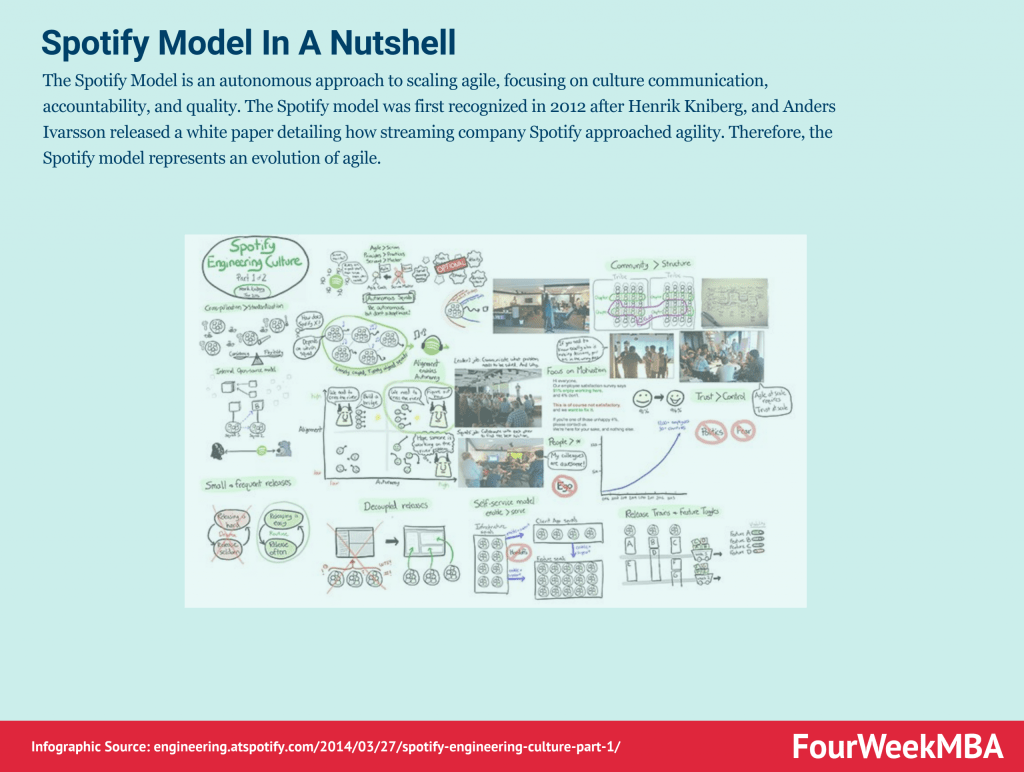
The Spotify Model is an autonomous approach to scaling agile, focusing on culture communication, accountability, and quality. The Spotify model was first recognized in 2012 after Henrik Kniberg, and Anders Ivarsson released a white paper detailing how streaming company Spotify approached agility. Therefore, the Spotify model represents an evolution of agile.
As the name suggests, TDD is a test-driven technique for delivering high-quality software rapidly and sustainably. It is an iterative approach based on the idea that a failing test should be written before any code for a feature or function is written. Test-Driven Development (TDD) is an approach to software development that relies on very short development cycles.
Timeboxing is a simple yet powerful time-management technique for improving productivity. Timeboxing describes the process of proactively scheduling a block of time to spend on a task in the future. It was first described by author James Martin in a book about agile software development.
Scrum is a methodology co-created by Ken Schwaber and Jeff Sutherland for effective team collaboration on complex products. Scrum was primarily thought for software development projects to deliver new software capability every 2-4 weeks. It is a sub-group of agile also used in project management to improve startups’ productivity.
Scrumban is a project management framework that is a hybrid of two popular agile methodologies: Scrum and Kanban. Scrumban is a popular approach to helping businesses focus on the right strategic tasks while simultaneously strengthening their processes.
Scrum anti-patterns describe any attractive, easy-to-implement solution that ultimately makes a problem worse. Therefore, these are the practice not to follow to prevent issues from emerging. Some classic examples of scrum anti-patterns comprise absent product owners, pre-assigned tickets (making individuals work in isolation), and discounting retrospectives (where review meetings are not useful to really make improvements).
Scrum at Scale (Scrum@Scale) is a framework that Scrum teams use to address complex problems and deliver high-value products. Scrum at Scale was created through a joint venture between the Scrum Alliance and Scrum Inc. The joint venture was overseen by Jeff Sutherland, a co-creator of Scrum and one of the principal authors of the Agile Manifesto.
Six Sigma is a data-driven approach and methodology for eliminating errors or defects in a product, service, or process. Six Sigma was developed by Motorola as a management approach based on quality fundamentals in the early 1980s. A decade later, it was popularized by General Electric who estimated that the methodology saved them $12 billion in the first five years of operation.
Stretch objectives describe any task an agile team plans to complete without expressly committing to do so. Teams incorporate stretch objectives during a Sprint or Program Increment (PI) as part of Scaled Agile. They are used when the agile team is unsure of its capacity to attain an objective. Therefore, stretch objectives are instead outcomes that, while extremely desirable, are not the difference between the success or failure of each sprint.
The Toyota Production System (TPS) is an early form of lean manufacturing created by auto-manufacturer Toyota. Created by the Toyota Motor Corporation in the 1940s and 50s, the Toyota Production System seeks to manufacture vehicles ordered by customers most quickly and efficiently possible.
The Total Quality Management (TQM) framework is a technique based on the premise that employees continuously work on their ability to provide value to customers. Importantly, the word “total” means that all employees are involved in the process – regardless of whether they work in development, production, or fulfillment.
The waterfall model was first described by Herbert D. Benington in 1956 during a presentation about the software used in radar imaging during the Cold War. Since there were no knowledge-based, creative software development strategies at the time, the waterfall method became standard practice. The waterfall model is a linear and sequential project management framework.
Static code analysis plays a crucial role in Agile software development by enabling teams to identify and address potential issues in the source code early in the development process.
What are the key components of Static Code Analysis?
The key components of Static Code Analysis include Kanban Method, Agile Metrics, Lean Management, Process Improvement, Project Management. Kanban Method: A Lean framework for visualizing work, limiting work in progress, and maximizing efficiency using Kanban boards. Agile Metrics: Metrics used in Agile methodologies to measure team performance, project progress, and the effectiveness of Agile…
Static code analysis is a fundamental aspect of Agile software development, providing teams with valuable insights into code quality, security, and maintainability.
How do you apply Static Code Analysis in practice?
Read Also: Continuous Innovation , Agile Methodology , Lean Startup , Business Model Innovation , Project Management .
Gennaro is the creator of FourWeekMBA, which reached about four million business people, comprising C-level executives, investors, analysts, product managers, and aspiring digital entrepreneurs in 2022 alone | He is also Director of Sales for a high-tech scaleup in the AI Industry | In 2012, Gennaro earned an International MBA with emphasis on Corporate Finance and Business Strategy.